







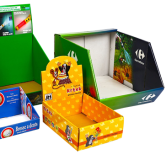



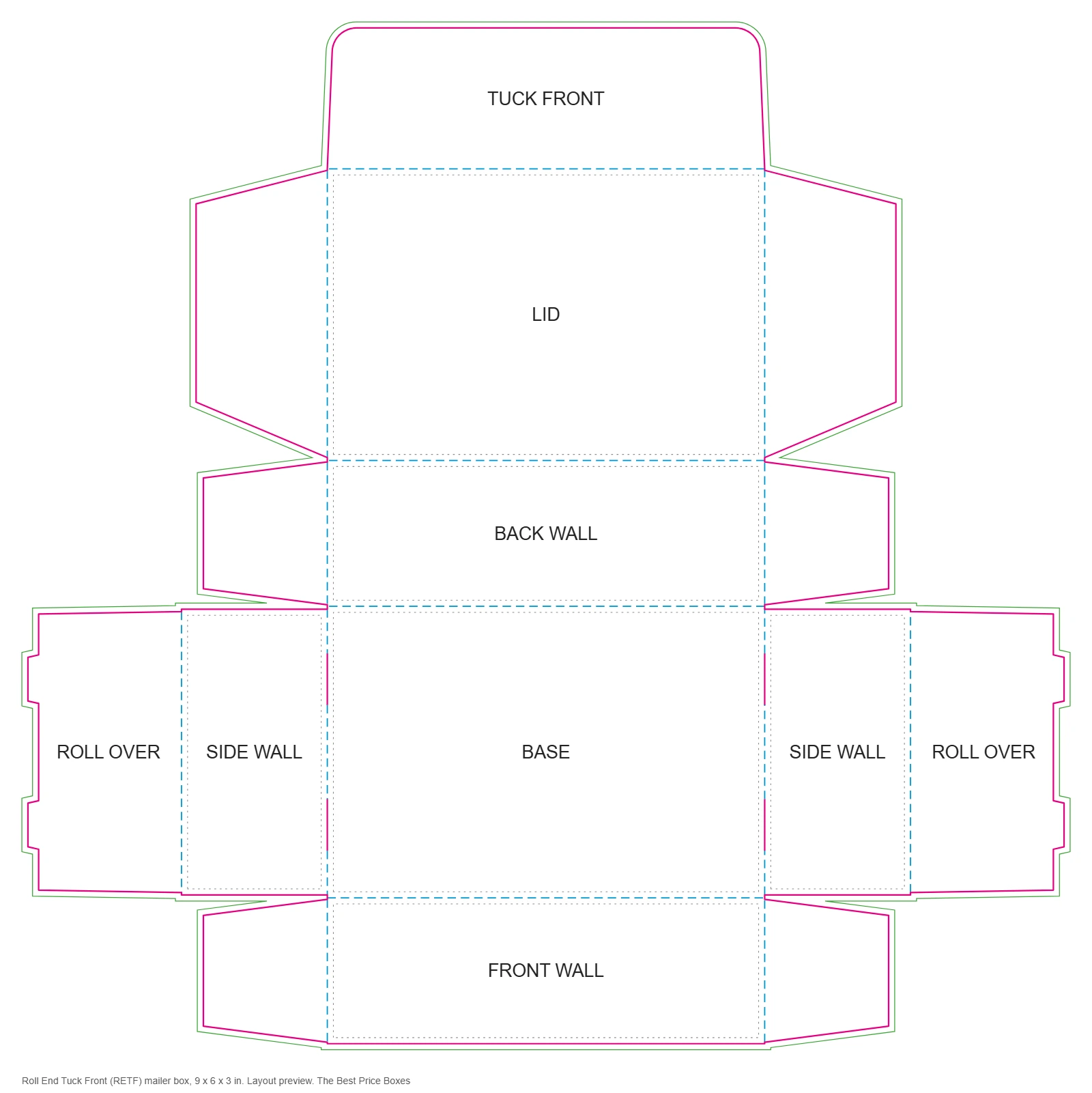
A mailer box dieline is a one-piece corrugated template in the roll end tuck front style: a base, double side walls that roll over and lock, and a hinged lid with a front flap that tucks in. It is the structure behind most subscription and e-commerce boxes. This page shows the layout, five stock sizes and how to place artwork, including inside print.
Send your inside dimensions and a specialist replies within one business day with a production-ready file: vector PDF that opens in Adobe Illustrator, plus SVG and DXF. Free design help, free samples and no minimum order.
Request this dieline
Stock sizes
| Inside size | Flat size, inches | Flat size, mm |
|---|---|---|
| 6 x 4 x 2 in | 14.32 x 13.90 | 364 x 353 |
| 9 x 6 x 3 in | 21.32 x 20.90 | 542 x 531 |
| 10 x 8 x 4 in | 26.32 x 27.90 | 669 x 709 |
| 12 x 9 x 4 in | 28.32 x 29.90 | 719 x 759 |
| 14 x 10 x 4 in | 30.32 x 31.90 | 770 x 810 |
Sizes are inside dimensions, length x width x depth. Flat sizes are nominal, before the allowance for board thickness. The production file we send is adjusted for your board.
How to read the layout
| Line | Meaning | What to do with it |
|---|---|---|
| Solid magenta | Cut | The knife follows this line. Nothing outside it survives. |
| Dashed blue | Crease | The board folds here. Keep small text and fine lines off it. |
| Thin green | Bleed, drawn 0.125 in outside the cut on this template | Run backgrounds and images out to this line so no white edge shows after cutting. |
| Dotted gray | Safe zone, drawn 0.125 in inside each panel on this template | Keep logos, text and barcodes inside it. |
| Orange fill | Glue area | Leave it free of ink and coating so the glue bonds to bare board. |
Setting up artwork on the dieline
- Open the file in your design program and lock the dieline on its own layer.
- Build artwork on a separate layer underneath. Work in CMYK, with any spot colors named.
- Extend backgrounds to the bleed line and keep live text inside the safe zone.
- Check which way each panel reads once folded. Lids and bottom panels often need turning 180 degrees.
- Outline fonts, embed images at 300 dpi or better, and export a vector PDF with the dieline layer still in place.
The print-ready artwork guide covers each step in more detail, and what a dieline is explains the parts of the template.
How the mailer goes together
The side walls fold up, roll over and lock into slots cut on the base score, which gives a double wall on the two short sides. The front and back walls carry ears that slide inside those rolled walls. The lid hinges on the back wall, and its front flap tucks down behind the front wall. Nothing is glued, so the box ships flat and assembles by hand in a few seconds.
Board and print
Choose E flute for crisp print and a slimmer wall, or B flute for heavier contents. Flat size grows quickly with depth: the sheet measures roughly the length plus four depths one way, and twice the width plus three depths the other. The inside of the lid is the first thing a customer sees on opening, so it is the usual place for inside print. Ask for the inside layout with your dieline if you plan to use it.
Boxes that use this structure
- Custom mailer boxes
- Kraft mailer boxes
- Tuck top mailer boxes
- Mailer box sizes
- Mailer boxes guide
- Corrugated board specifications
Back to all dieline templates.
Dieline questions
Should I choose E flute or B flute for a mailer box?
E flute is thinner and prints more crisply, which suits cosmetics, apparel and lighter kits. B flute is thicker and better for heavier or fragile contents. The dieline is drawn for the flute you choose, because the wall thickness changes the score positions.
Can I resize the dieline myself?
It is better not to. Scaling a dieline also scales the glue flap, tuck depth and relief cuts, and those should stay fixed. Tell us the inside size you need and we redraw the template to it at no charge.
What bleed and safe zone should I use?
This template is drawn with 0.125 inch of bleed past the cut line and a 0.125 inch safe zone inside it, a common starting point. Keep text and logos away from every crease, and check your free digital proof, which confirms the bleed and safe zone for your job before anything prints.
Which file formats do you send?
A vector PDF that opens in Adobe Illustrator, plus SVG and DXF. The DXF keeps cut and crease lines on separate layers for CAD tables and sample cutters.
How do I work out the size I need?
Measure the product, add clearance, and give us inside dimensions as length x width x depth. The box measuring guide shows where each dimension is taken.
Send your inside dimensions and a specialist replies within one business day with a production-ready file: vector PDF that opens in Adobe Illustrator, plus SVG and DXF. Free design help, free samples and no minimum order.
Request this dieline